> For the complete documentation index, see [llms.txt](https://docs.abracadabra.money/learn/llms.txt). Markdown versions of documentation pages are available by appending `.md` to page URLs; this page is available as [Markdown](https://docs.abracadabra.money/learn/intro/tools/farms.md).
# Farms
Farming is deploying liquidity in a specific pool in order to receive an incentive from the protocol. It enables the protocol to guide the liqudity into areas where it is most efficient.
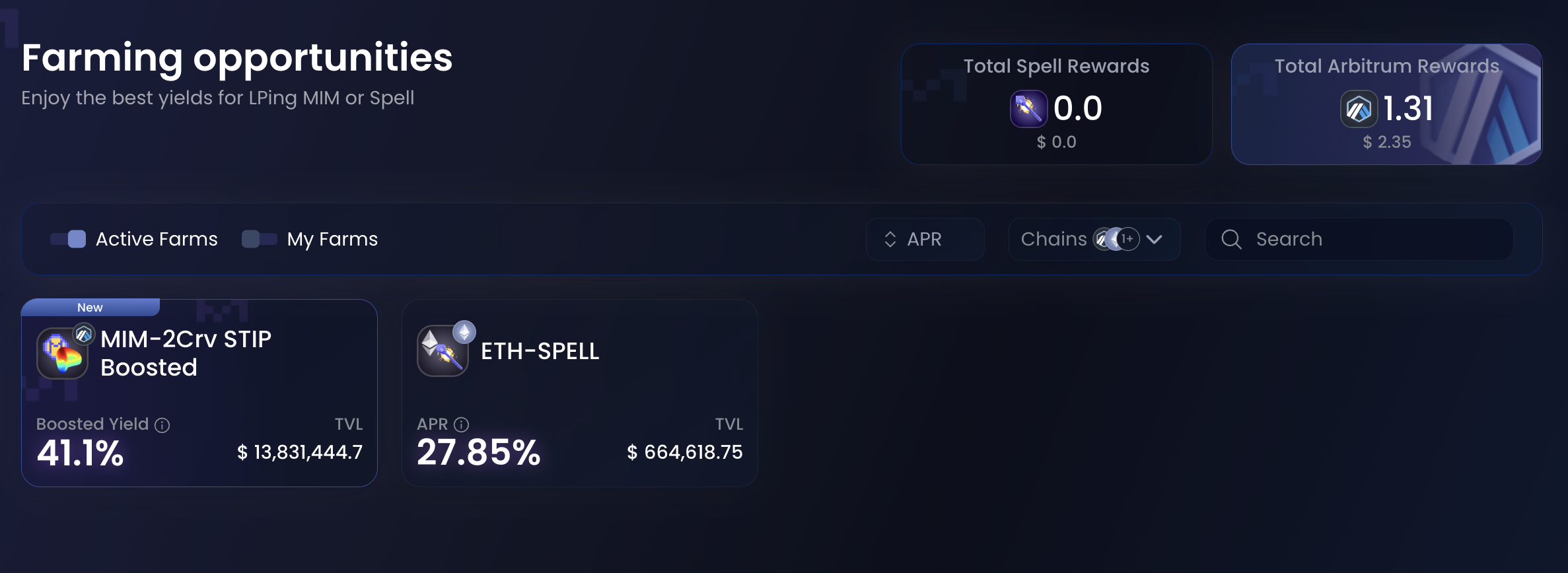
Farming positions can be accessed by going to More → Farms from anywhere on the interface. From here, you can view all farms, and can filter to only see active ones.
After finding a farm you want to deposit to, access it by clicking on it. You are met with 2 modes: Stake and Unstake, used to deposit or withdraw from the farm.
Most farms require you to stake some Liquidity Provisioning (LP) tokens. You'll find a button to acquire such LP tokens if you don't have them already.
Once you have them, farming is very easy, simply select how many you want to stake and hit the Stake button. \
Unstaking works in the exact same way, giving you back LP tokens.
{% hint style="info" %}
After unstaking, the farms gives you back LP Tokens. To redeem these tokens for the underlying asset, visit the website linked as "Get LPs". From there, find the withdraw button and follow the process.
{% endhint %}